
The disposable camera app for weddings
One film for the whole guest list. Everyone shoots from their own phone, nothing shows until the reveal, and the morning after you get the day from every table at once.
- Free for you + 4 guests
- One-time price, no subscription
- Full resolution, no watermark
- Shoot without signal
- Hidden until the reveal
- iOS and Android
Your photographer will miss the best part
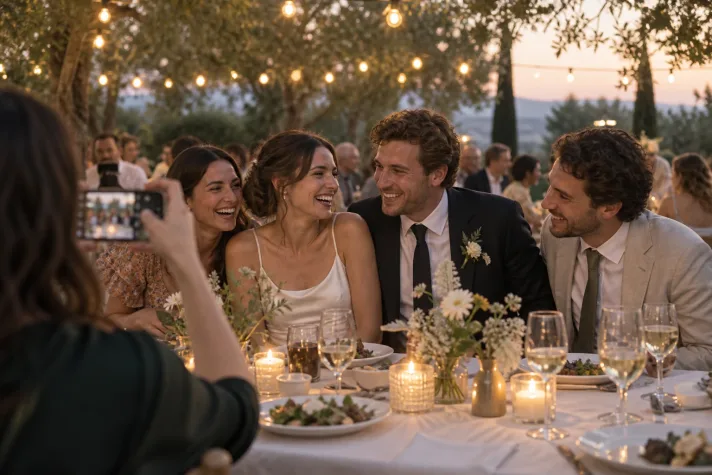
Not through any fault of theirs. One person cannot be at the bar when your uncle starts the toast nobody planned, on the bus when the bridesmaids lose it, and on the dance floor at one in the morning. Your guests are already there, phones in hand, and they shoot the whole day. Then the photos sit in eighty separate camera rolls, a few get texted around, and the rest are gone by the honeymoon.
Physical disposable cameras on every table were the old fix: one roll, no previews, a surprise when the prints came back. They also cost a small fortune, half of them walk off, and the photos are grainy plastic-lens shots of the tablecloth. Keeps keeps the good part, the sealed roll and the reveal, and drops the rest.
How Keeps works on the wedding day
- Weeks before. Create the film in the app: name it, choose how many people can join and how many shots each guest gets, and set when it ends (the end of the reception is the usual choice). Put the QR code or the link on your wedding website and in the invitation suite, so guests install Keeps and join while they are still on the sofa.
- On the day. A printed card on each table and on the welcome sign. A guest scans it, the film opens, and they shoot. There is nothing to review and nothing to delete, so people put the phone away between shots.
- During the night. Every photo stays hidden, from you as well. Guests with no signal in the barn keep shooting; their photos upload later.
- The morning after. The film ends, the reveal notification goes out, and everyone opens the same gallery at once, each photo credited to the guest who took it. Save the originals to your camera roll over breakfast.
How big a film do you need?
Films are sized by how many people can join, and you count as one of them. Not every guest will join, so size for the people who will actually shoot, and add a pack later if the film fills up. Films can grow to 300 people.
| People in the film | One-time price |
|---|---|
| Up to 5 | Free |
| Up to 10 | $1.99 |
| Up to 25 | $4.99 |
| Up to 50 | $14.99 |
| Up to 100 | $29.99 |
| Up to 150 | $49.99 |
| Up to 200 | $69.99 |
| Up to 250 | $89.99 |
US prices; the App Store and Google Play show yours. Everything else is on the pricing page.
Where to put the QR code
The app generates a QR code, a short code, and a printable card for every film. Put it where people are standing still:
- The welcome sign, so guests join while they are looking for their table.
- A small card on every table, next to the menu.
- The bar. People wait there, and they are in a good mood.
- The order of service or program, for guests who arrive early.
- Your wedding website and the invitation suite, weeks ahead, for the install.
- One line from the MC or DJ after dinner. It doubles the take-up.
Wording that works:
Scan, shoot, no peeking. The reveal is tomorrow morning.
More placements and sign wording on the QR code guide.
Open gallery or private?
Choose when you create the film. An open gallery shows everyone every photo after the reveal: the whole room relives the night together, which is the version most couples want. A private gallery shows each guest only the photos they took, while you see all of them. Use it if you want to look through everything before deciding what to share by other means.
You also choose who can invite. Host only keeps the guest list exactly as you printed it. Everyone lets a guest pull in the plus-one you forgot.
It works alongside your photographer, not instead
Your photographer delivers the portraits, the ceremony, the images you will frame. Keeps delivers the other four hundred: candid, sometimes blurry, taken by people who love you from wherever they happened to be standing. Nothing is filtered, nothing is cropped, and every photo names the guest who shot it, so the story of who saw what survives.
Tell your photographer the film exists. Some like to shoot a few frames into it from their phone at the end of the night, and guests love finding them.
What it costs next to disposable cameras
One physical disposable camera plus developing and scanning costs more than a 25-person Keeps film, and it gives you 27 photos from one guest's angle. A film for a 100-person wedding is $29.99, with full-resolution originals and no lab. The full comparison, with the arithmetic, is on the cost page.
Before you hand it to 150 people
- Guests install Keeps once and sign in. That is what keeps their photos tied to them rather than to one phone, and it is why the QR code belongs in the invitation, not only on the table.
- iPhone and Android both work, in the same film.
- No signal is fine. Photos queue on the phone and upload later.
- Save what you love after the reveal. Films are kept for up to about a year after they end; your camera roll is forever.